 Cron Verdict
by SnagBane
Cron Verdict
by SnagBane
Cron Verdict
by SnagBane
Cron Verdict
by SnagBane
WP-Cron only fires when someone visits your site, so a quiet site naturally goes hours without a tick — that's not the same as a plugin's backup silently failing for a week. Cron Verdict tells the two apart, and Pro traces every overdue task back to the exact plugin that scheduled it.
Free forever for the core verdict · No credit card to install
WP-Cron isn't a real system cron job — it only runs when a visitor triggers it, so low-traffic sites naturally go quiet for stretches that mean nothing. Most monitors flag that exactly the same way they'd flag a task that's been silently broken for a week. Cron Verdict tells the two apart, and Pro tells you exactly which plugin is behind it.
Cron has gone far longer than this site's own traffic pattern would explain — something is actually stuck.
A little behind schedule. Often just how a quiet site behaves — worth an eye, not a panic.
Every tracked task fired on schedule. Nothing here needs your attention.
Just installed, or too new to have a baseline — give it a cycle before trusting the verdict.
Built from the same markup and styles as the real admin screen.
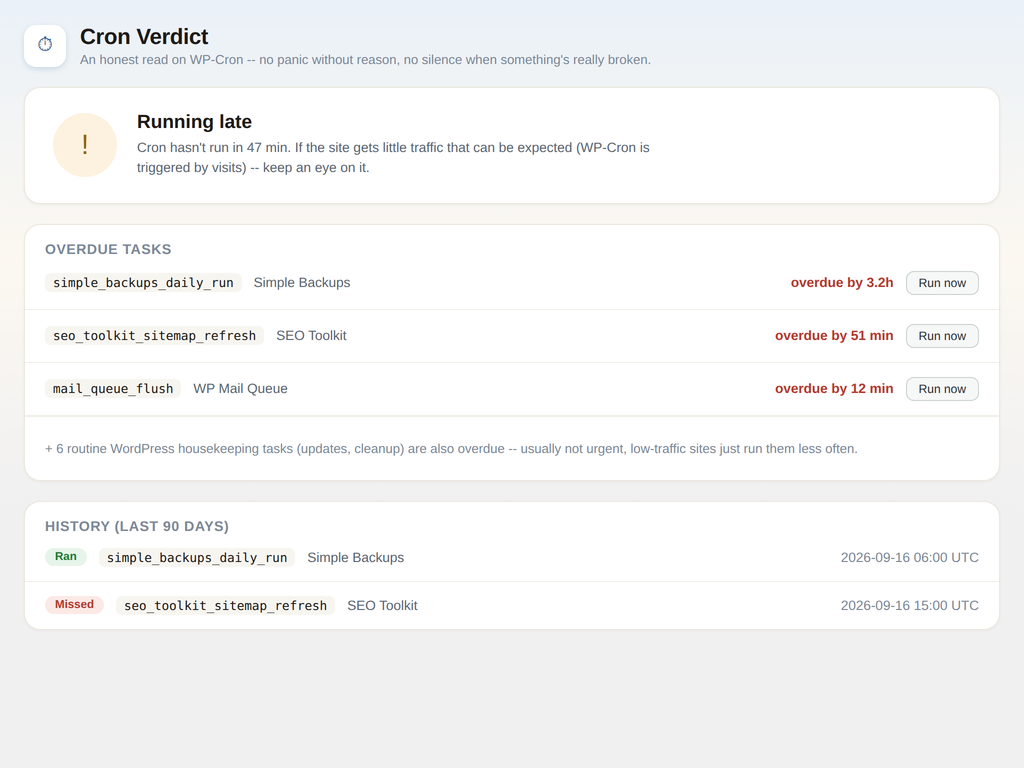
Overdue tasks, each traced back to the plugin responsible — with one-click "Run now" and a rolling history underneath.
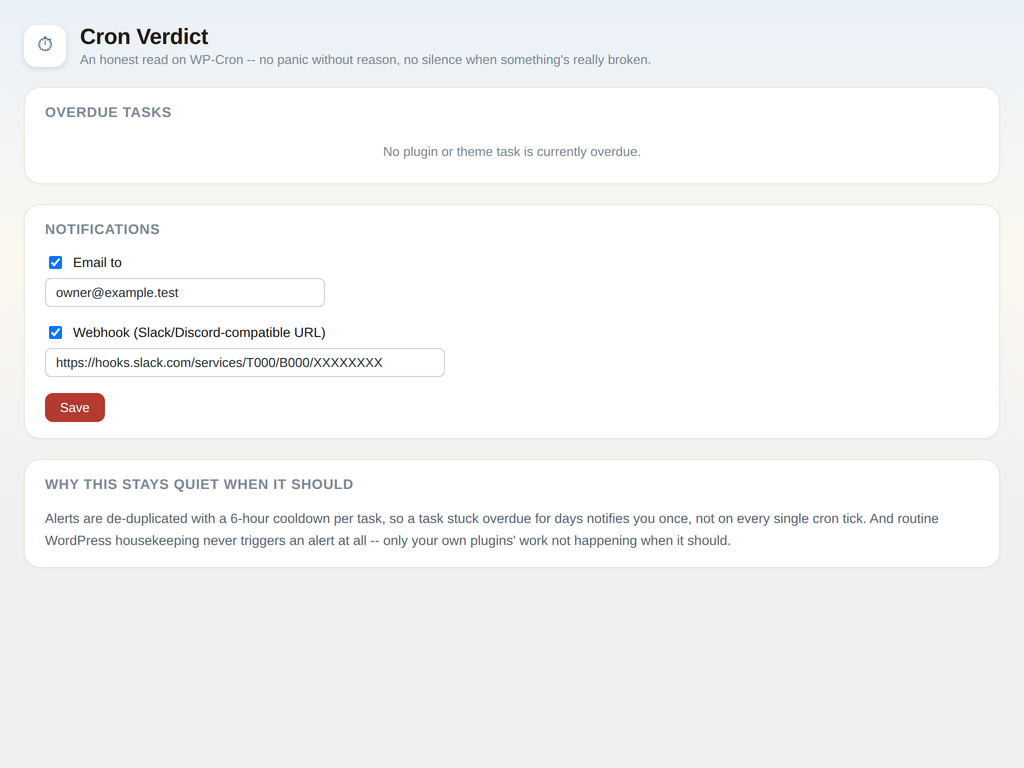
Email and Slack/Discord-compatible webhook alerts, deduplicated so one real problem means one notification — not fifty.
A global heartbeat check for whether WP-Cron is firing at all, plus a per-task grace window before anything gets called overdue.
Pro walks an overdue task's callback back to the exact plugin or theme file that registered it — no more disabling plugins one at a time to find out.
Free surfaces it right on your dashboard. Pro adds email and webhook alerts, and a "Run it now" button to fix it without waiting for the next tick.
Knowing WHETHER something's wrong is free, forever. Pro adds knowing WHY, and WHO's responsible.
Exact pricing and billing cycle (monthly or annual) are shown at checkout.
WP-Cron looks like a real cron job, but it isn't one — it only fires on a visit, so a quiet site naturally runs late without anything actually being broken. Every monitor we tried treated "quiet site" and "genuinely broken task" the same way, which meant either constant false alarms or, worse, a real failure sitting silent for weeks.
Cron Verdict is our attempt to fix that one specific, annoying problem properly: tell you what's actually wrong, and who's responsible for it, instead of a blanket "something might be broken."
It's part of the SnagBane "Verdict" family, alongside Link Verdict.
No FTP, no command line — the same way you'd install any WordPress plugin. Everyone starts with the free plugin below, even if you're getting Pro — Pro is a small add-on that sits on top of it, not a replacement.
Grab the free plugin's .zip file below. Required first, whether or not you're getting Pro.
In your WordPress admin, go to Plugins → Add New Plugin → Upload Plugin, then choose the .zip you downloaded.
Click Install Now, then Activate Plugin once it finishes. It'll show up in your Plugins list, active and ready.
A new Cron Verdict item appears under Tools in your admin sidebar, along with a dashboard widget showing your current verdict.
Right after checkout, Freemius emails you the Pro .zip and a license key. Upload & activate the Pro plugin the same way as above, then paste your key in when prompted.
Requires WordPress 5.8+ and PHP 7.4+.
Activation only needs that license key pasted in — nothing is tied to your email automatically. Lost the email? Recover your key anytime from the Freemius Customer Portal.
Free to install, free forever for the core verdict, no credit card required.
WordPress.org — Coming soon.